April Fools' Day pranks fade away, leaving behind a sense of relief—except scammers never take a break.
Spring marks a peak season for cybercriminals. Their success isn't due to sloppy defenses, but because people are busy, distracted, and rushing through their tasks.
During this hectic time, cleverly disguised scams slip through unnoticed, looking like just another routine part of the workday—danger only becoming clear after damage is done.
Here are three current scams targeting savvy, hardworking employees—not naive victims, but professionals trying to stay on track.
As you read, ask yourself: Would everyone on my team take the time to spot these risks?
Scam #1: The Fake Toll or Parking Fee Alert
Imagine an employee receiving a text like this:
"Unpaid toll balance of $6.99 detected. Pay within 12 hours to avoid late charges."
The message references a legitimate toll system—E-ZPass, SunPass, FasTrak, matching their region—and the small amount seems harmless. Between meetings, they click, pay, and move on.
But the link is fraudulent.
In 2024 alone, the FBI logged over 60,000 reports of fake toll texts, with reports soaring 900% in 2025. Researchers uncovered tens of thousands of fake websites impersonating toll agencies, proving just how lucrative this scam has become. Shockingly, some texts even target people in states without toll roads.
This scam succeeds because a small fee sounds reasonable, and most people have recently faced tolls or parking fees, making the message feel legitimate.
The best defense: Real toll agencies never demand payment through text messages. Encourage your team to avoid clicking links in such texts. Instead, they should visit the official toll website or app directly. And importantly, never reply to such texts—even to stop messages—since any reply confirms their number is active and invites more scams.
Streamlined convenience turns into a security trap; following proper procedure is your strongest shield.
Scam #2: The Deceptive 'Your File Is Ready' Email
This scam mimics a normal part of daily workflow.
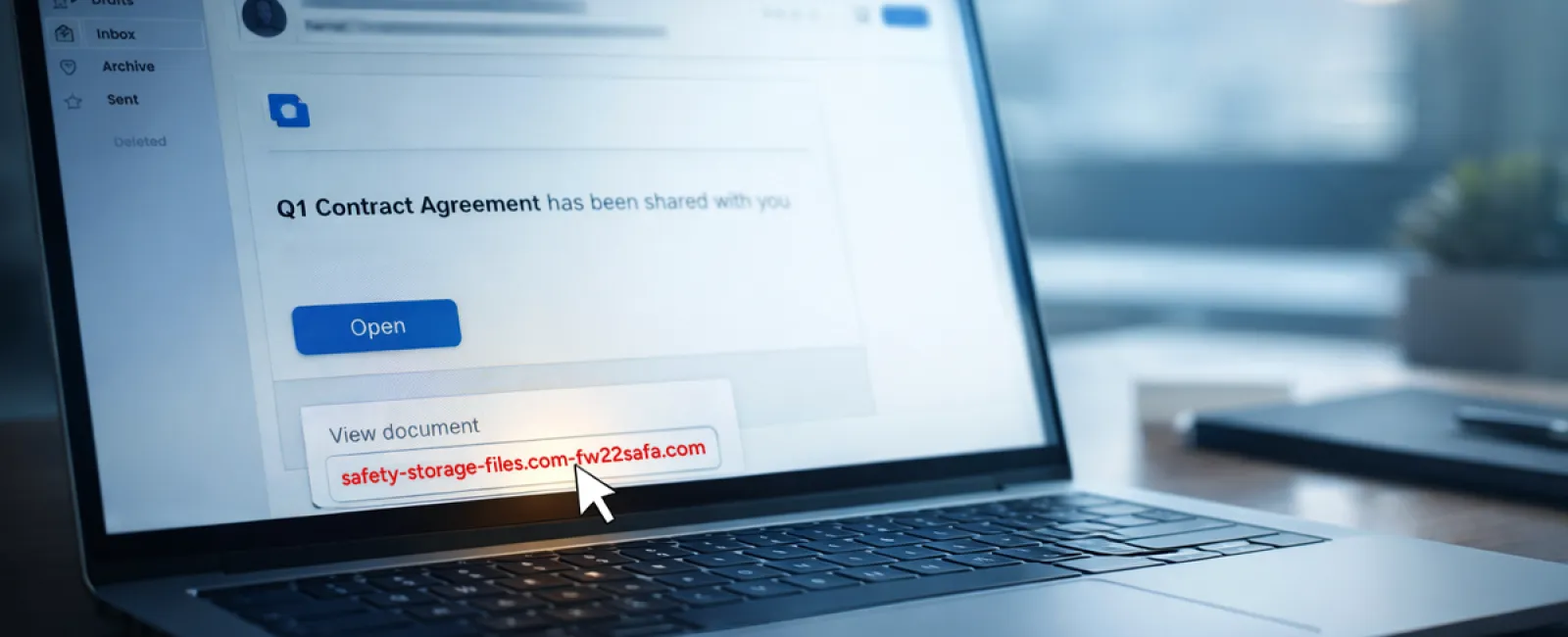
An employee gets an email notifying them a document was shared—often a contract via DocuSign, a spreadsheet on OneDrive, or a Google Drive file.
The sender looks authentic, the email formatting perfect, identical to real notifications.
Clicking prompts a login; entering credentials hands over access to cybercriminals—potentially granting them entry into your company's cloud environment.
Phishing attacks using trusted platforms surged 67% in 2025, with Google Slides phishing alone jumping over 200% in just six months, per KnowBe4's Threat Labs.
Employees are seven times likelier to click malicious links from OneDrive or SharePoint than suspicious random emails because these messages appear genuine.
Even more sophisticated, attackers use compromised accounts to send real notifications from legitimate servers, bypassing spam filters.
How to protect: Train employees never to click on unexpected shared file links. Instead, they should log into the platform manually to verify. Reduce risk with settings that limit external file sharing and enable alerts for unusual logins—configurations your IT team can implement swiftly.
Building simple habits creates strong security defenses.
Scam #3: The Exceptionally Polished Phishing Email
Gone are the days when phishing emails were riddled with mistakes.
A 2025 study revealed that AI-crafted phishing emails achieved a 54% click-through rate, over four times higher than 12% for human-written scams. They're convincing because they mention real companies, job titles, and workflows scraped from public sources within seconds.
These attacks target departments with precision—HR might get fake employee verification requests; finance may receive fraudulent vendor payment changes. One test showed 72% of staff engaged with vendor impersonation emails, nearly double other phishing attempts.
The emails are calm, professional, urgent—just like any typical work message.
Effective guardrails include: Verifying requests for credentials, payment updates, or sensitive info via a secondary channel—phone, message, or in person. Employees should always hover to check sender domains and treat any urgency as a red flag.
True security informs without triggering panic.
The Core Issue
These scams exploit familiarity, authority, timing, and the assumption that "this will only take a moment."
The real vulnerability isn't careless employees; it's systems banking on perfection under pressure—expecting everyone to slow down and double-check flawlessly every time.
If one rushed click can cause chaos, that's not a people problem—it's a process problem.
Fortunately, process problems can be solved.
We're Here To Support You
Most business owners don't want to turn cybersecurity into an overwhelming project or be the sole educator on what not to click.
They simply want assurance their company isn't silently exposed.
If you're worried about your team's exposure—or know someone who should be—we invite you to schedule a discovery call where we'll discuss:
- Current cyber risks facing businesses like yours
- Common ways threats infiltrate everyday workflows
- Practical strategies to reduce risks without slowing operations
No pressure. No scare tactics. Just a clear conversation to identify concerns and explore solutions.
Click here or give us a call at 877-310-0123 to schedule your free 15-Minute Discovery Call.
If this doesn't apply to you, please share this with someone who could benefit. Often, knowing what to watch for transforms a "would have clicked" into a "nice try."